The best wireless earbuds for work depend on whether you need clear calls, laptop and phone switching, or an open fit that keeps you aware of coworkers. Compare call microphones, multipoint support, battery life, and comfort to find a pair suited to your workday.
Quick Top Products
SHOKZ OpenFit Pro
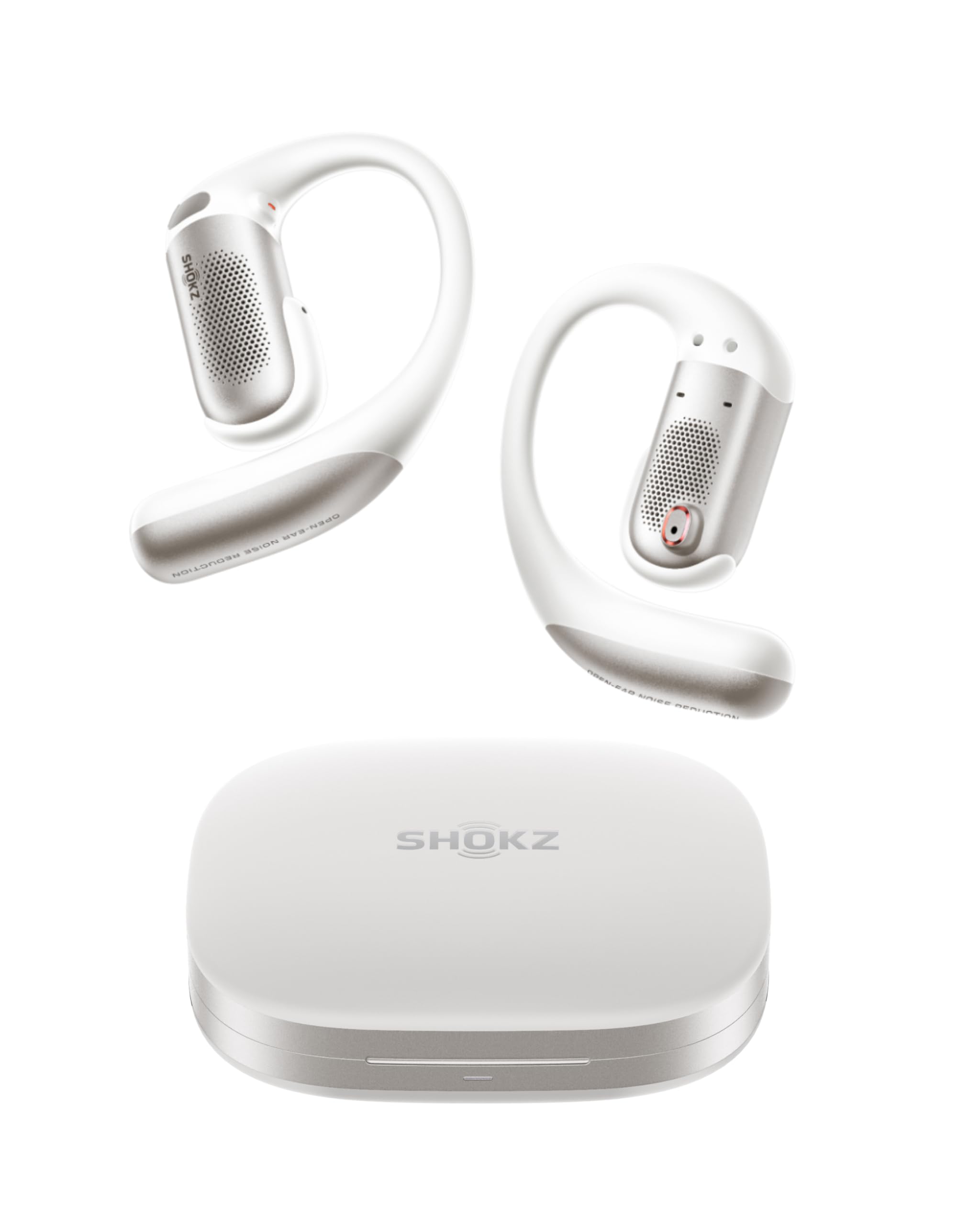
- Open-ear noise reduction has five EQ presets and two custom profiles.
- Multipoint pairing connects two devices, such as a phone and laptop.
- Physical buttons manage playback and calls.
Best For: Choose these for work calls and listening while keeping your ears open to nearby activity.

SHOKZ OpenFit 2
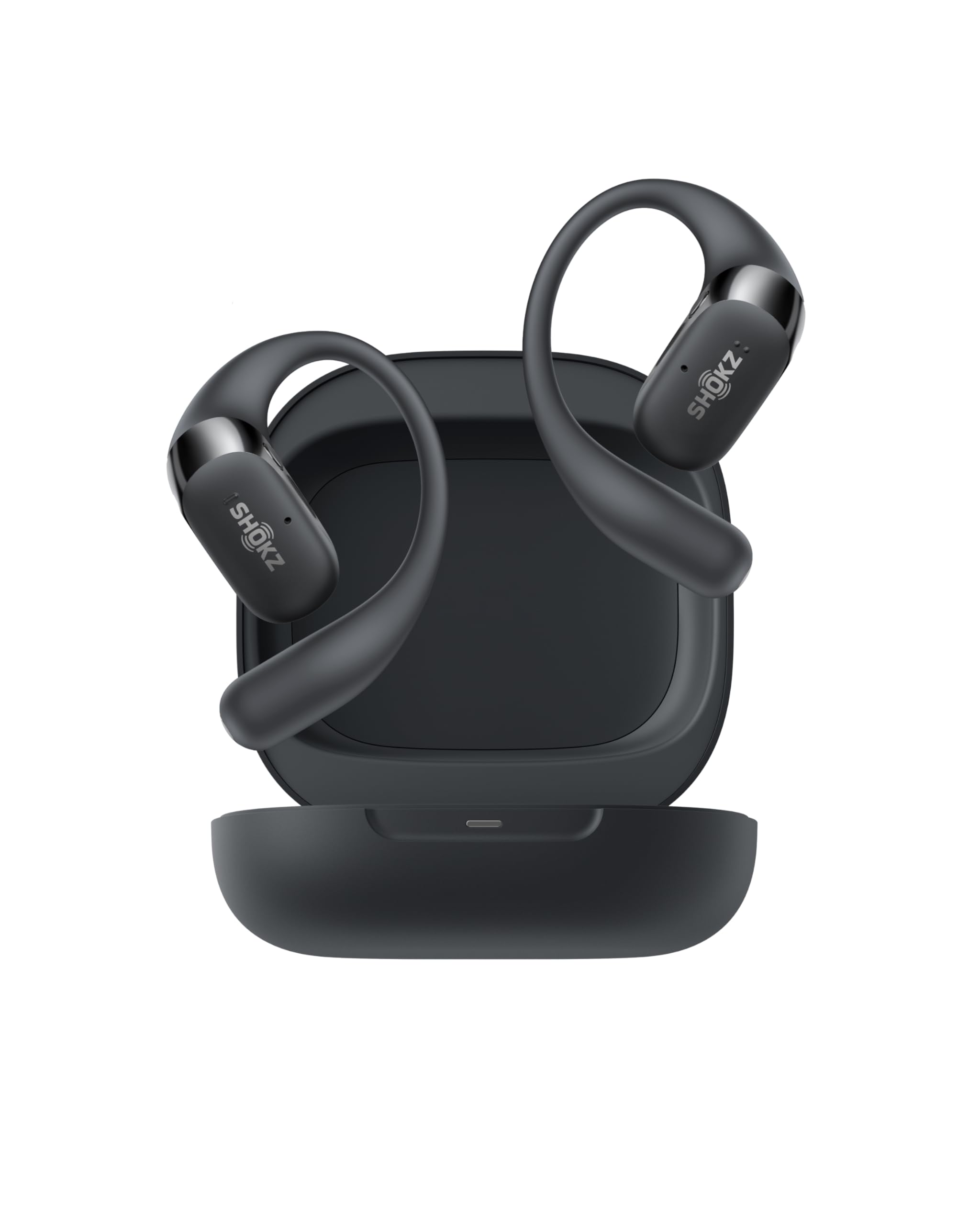
- The open-ear design keeps you connected to your surroundings.
- Up to 11 hours per charge and 48 hours with the case.
- Physical buttons switch between two paired devices.
Best For: A fit for people who want long listening sessions and calls without blocking their ears.
Donner Dobuds ONE
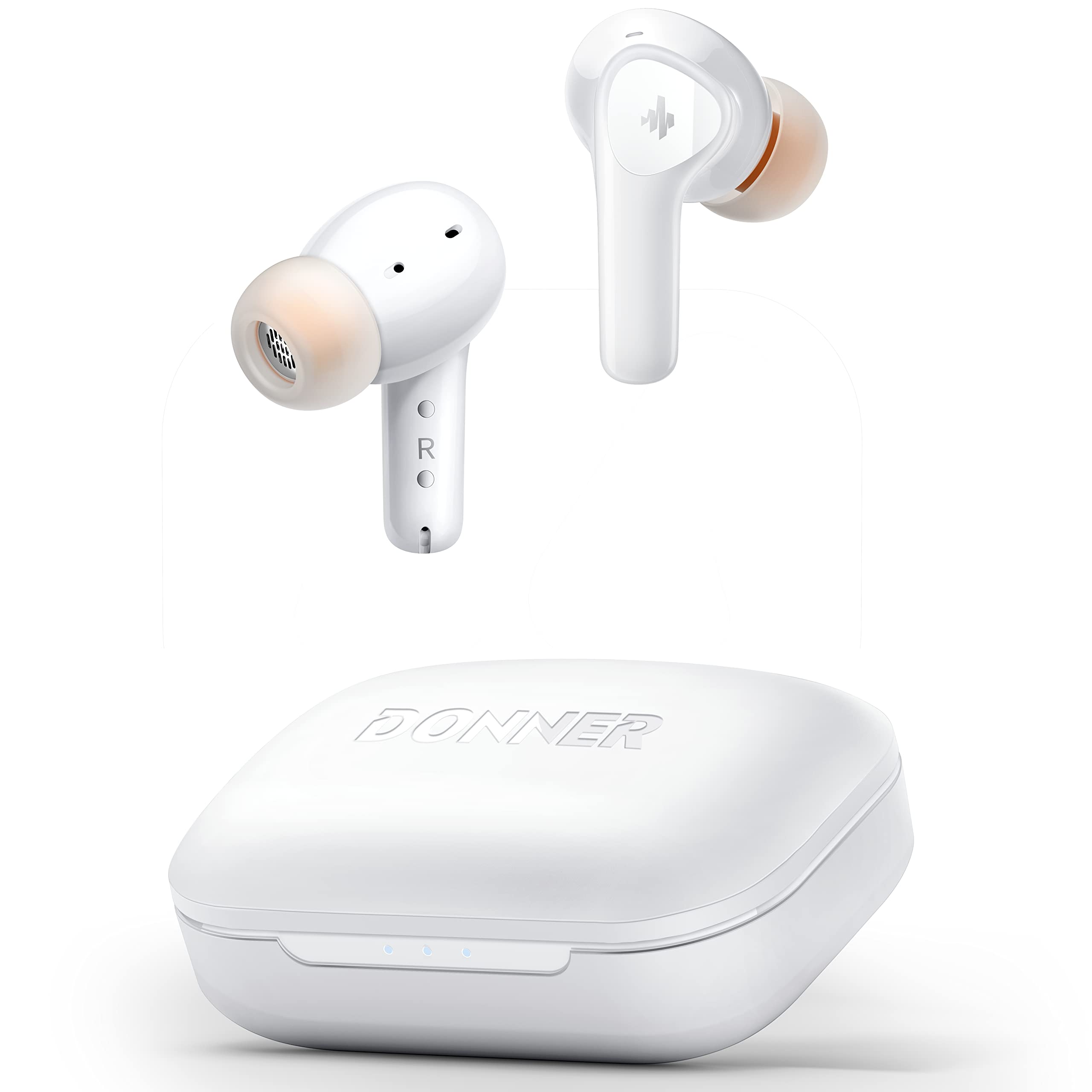
- Active noise cancellation reduces background noise, and the app supports transparency mode switching.
- Four microphones support calls with beamforming noise cancelling technology.
- Five eartip sizes are included for fit adjustment.
Best For: Choose these for in-ear listening, adjustable ANC, and calls that benefit from multiple microphones.
JLab JBuds Sport ANC 4
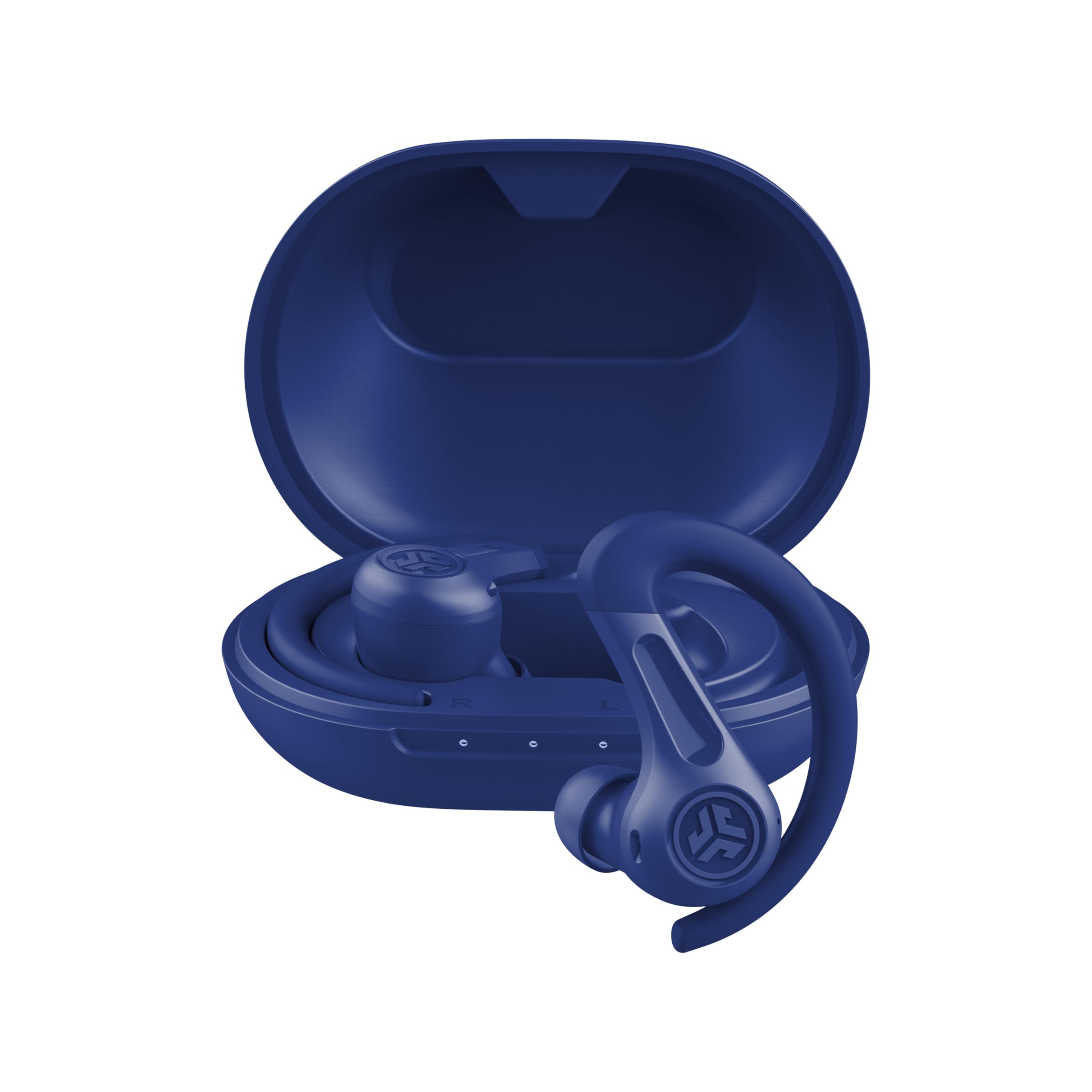
- Hybrid ANC and Be Aware mode provide different ways to handle ambient sound.
- Multipoint connects to two devices at once.
- The earhook is designed to fit small ears securely.
Best For: A good fit for people who want secure earhooks, ANC, and phone-to-laptop switching.
JLab Go Air Pop+
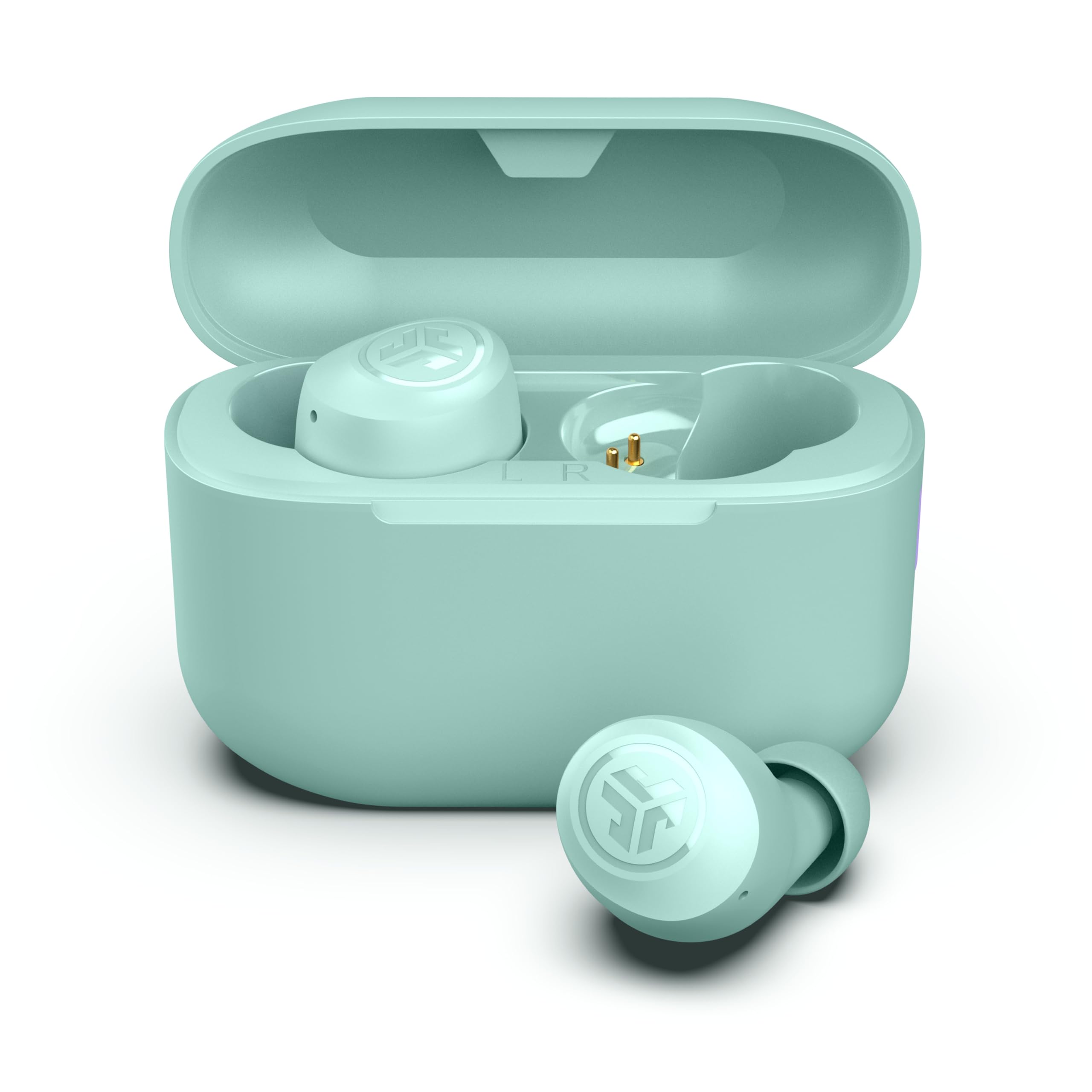
- Dual Connect allows independent use of either earbud.
- The earbuds offer 35-plus hours total with the case.
- Three gel tip sizes and app controls help tailor fit and sound.
Best For: Choose these for a compact in-ear option with independent earbud use and app-adjustable sound.
SHOKZ OpenDots 2
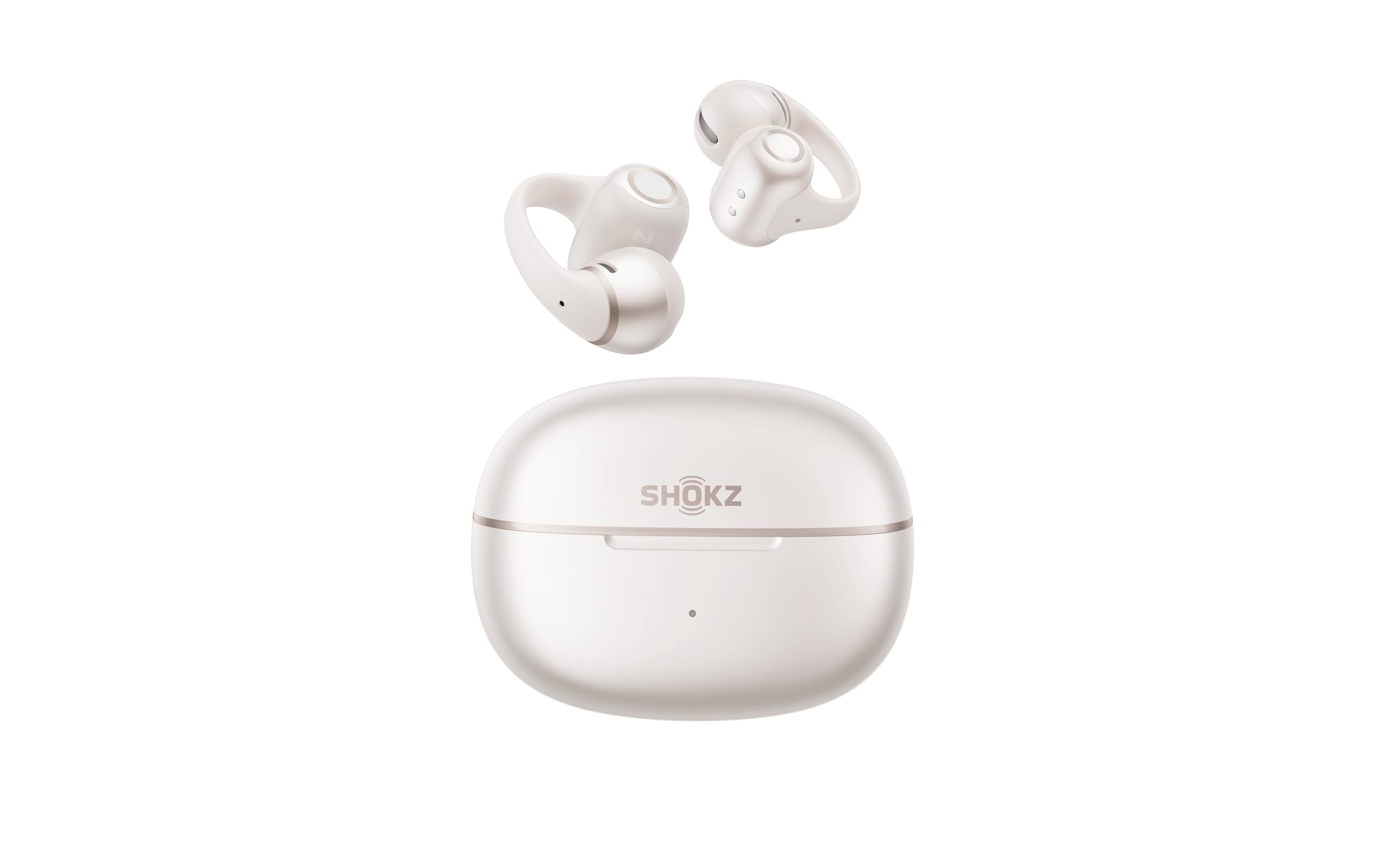
- Three microphones and adaptive beamforming support calls.
- Multipoint pairing supports connections across devices.
- Qi-certified wireless charging is supported by the case.
Best For: Choose these for open-ear clip-on listening, frequent calls, and a case that supports wireless charging.
JLab Go Air Pop
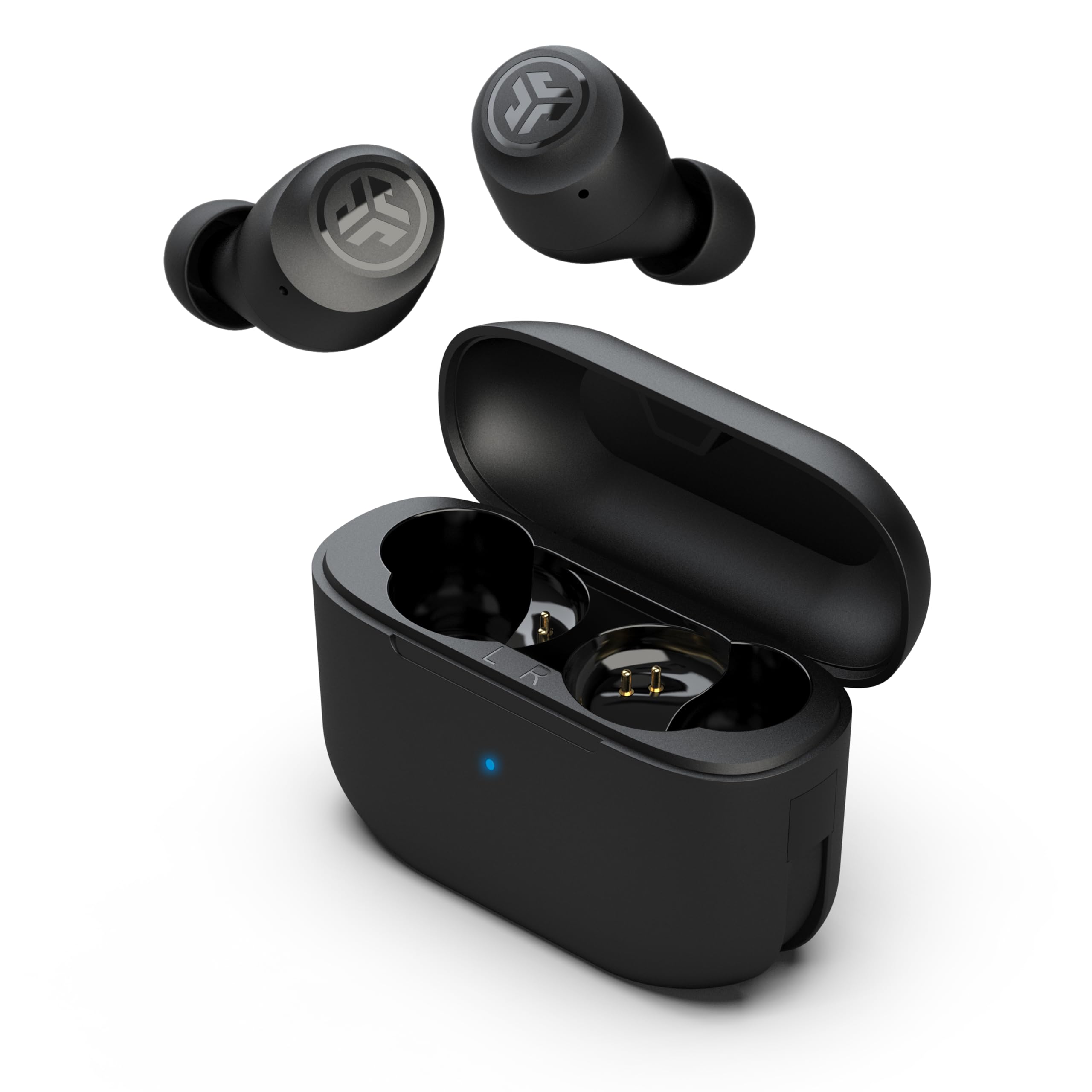
- Dual Connect lets you use either earbud independently.
- The case has an integrated USB cable.
- Three EQ settings include Signature, Balanced, and Bass Boost.
Best For: A practical option for people who want straightforward controls and either-earbud use.
JLab Go Pop+
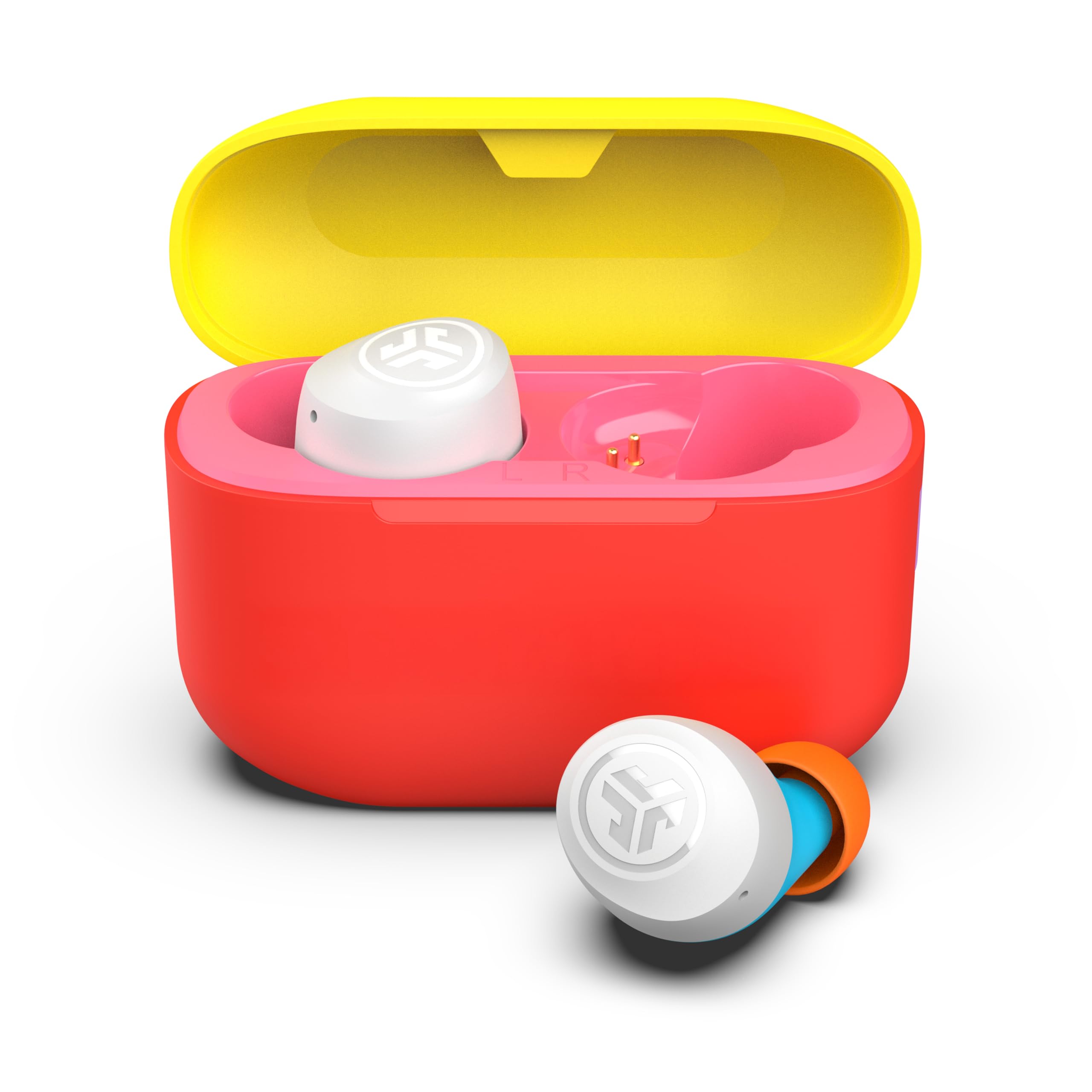
- The app adjusts EQ and touch controls.
- Either earbud can work independently.
- The built-in USB-C case cable and earbuds support 35-plus hours total.
Best For: A fit for workers who want app customization, independent bud use, and a small case.
JLab Go Air Tones+
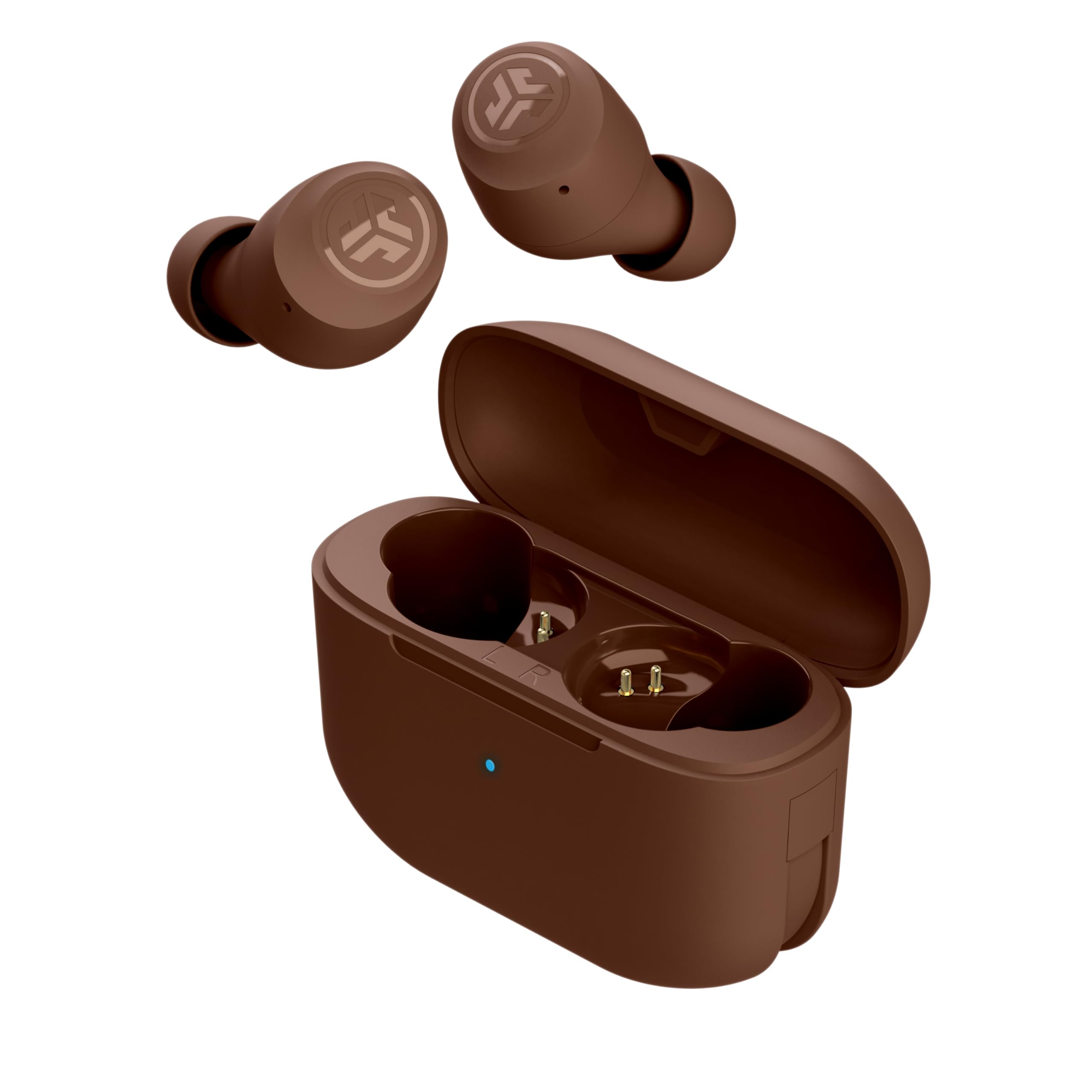
- The earbuds provide 35-plus hours of playtime with the case.
- Three EQ presets include Signature, Balanced, and Bass Boost.
- The case is smaller than a credit card.
Best For: Choose these for long battery life, three EQ presets, and a compact in-ear case.
Open-Ear Noise Reduction and Laptop Switching
SHOKZ OpenFit Pro Open-Ear Earbuds with Noise Reduction, Dolby Atmos, White | Bundle with Gym Bag; Deep Bass, 50H Playtime, AI call clarity; Bluetooth 6.1; IP55 Secure all-day fit; Gym/Office/Cafe use
The OpenFit Pro combines an open-ear design with a feature specifically aimed at reducing distractions: an ear-adaptive noise reduction mode. Its triple-mic system and multipoint pairing support calls and switching between a phone and laptop, which suits a desk routine with frequent device changes.
The Bluetooth 6.1 connection and physical buttons add practical control options. Battery life varies with noise reduction: the case supports up to 50 hours total, while noise reduction on limits a single charge to up to 6 hours.
The open fit keeps you aware of your surroundings, but does not provide the same isolation as in-ear earbuds.
Best For: Choose these for work calls and listening while keeping your ears open to nearby activity.
| Pros | Cons |
|---|---|
|
|
Choose the OpenFit Pro if your workday alternates between calls, laptop audio, and nearby conversation. Its open-ear design and multipoint pairing are useful for that pattern, while its noise reduction offers another way to limit distractions.
Check whether the open fit provides enough separation for your workspace, and note the shorter single-charge runtime when noise reduction is enabled. Physical buttons may suit people who prefer direct controls over touch gestures.
Long-Shift Open-Ear Listening
SHOKZ OpenFit 2 Open-Ear Headphones,True Wireless Bluetooth Earphones with Microphone,Earhook Earbuds with 48 Hours of Playtime,Fast Charging,IP55 Water-Resistant,with Carrying Bag,Black,Bluetooth5.4
The OpenFit 2 uses an open-ear earhook design, so audio does not seal the ear canal. Its dual noise-cancelling microphones are intended for calls, and physical buttons handle common controls, including switching between two paired devices.
The case supports up to 48 hours of listening, with up to 11 hours on a single charge. That gives it a long quoted single-charge runtime among these open-ear options.
The tradeoff is that an open design leaves surrounding sound audible, which can be useful for awareness but less suited to a noisy office when focused listening matters most.
Best For: A fit for people who want long listening sessions and calls without blocking their ears.
| Pros | Cons |
|---|---|
|
|
Pick the OpenFit 2 if you favor an open fit and want a long single-charge listening window. Physical controls and two-device switching make it practical for moving between computer audio and phone calls.
Consider how much ambient office sound you are comfortable hearing, since the open-ear format prioritizes awareness. Before buying, verify the included charging accessories and whether the fit works with your glasses or other ear-worn items.
In-Ear Focus with Adjustable Noise Control
Donner Wireless Earbuds Noise Cancelling, Bluetooth 5.2 Earphones with 5 x EarTips, 4 Mic Clear Calls, 12mm Drivers, App for Custom EQ, 32H Playtime, Fast Charging, Transparency - Dobuds ONE,White
The Dobuds ONE pairs a 12 mm dynamic driver with a balanced armature driver and offers active noise cancellation alongside a transparency mode. That gives workers a choice between reducing ambient sound and hearing more of the room.
Four built-in microphones and beamforming noise cancelling technology are aimed at clearer calls, while an app provides EQ and control customization. Five eartip sizes help tailor the in-ear fit.
Its listed single-earbud battery life is 8 hours with ANC off and total playtime is 32 hours. The case is not waterproof, so keep it away from rain or spills.
Best For: Choose these for in-ear listening, adjustable ANC, and calls that benefit from multiple microphones.
| Pros | Cons |
|---|---|
|
|
Choose the Dobuds ONE if you work best with an in-ear seal and want adjustable noise control. ANC and transparency mode let you adapt the sound to different settings, while the app adds EQ customization.
Its case needs more care around moisture than the earbuds. Check that one of the five supplied tip sizes fits comfortably, and consider the shorter runtime when ANC is on, since the quoted 8-hour figure is for ANC off.
Earhook Fit with ANC and Multipoint
JLab, JBuds Sport ANC 4, True Wireless Earbuds, Active Noise Cancelling, Bluetooth, Multipoint Connect, Cobalt Blue
The JBuds Sport ANC 4 combines an earhook fit with hybrid active noise cancellation and Bluetooth multipoint for two devices. That mix can suit a workday split between calls at a desk and movement around the office.
Its Be Aware mode lets ambient sound back in, while the app adjusts ANC and awareness levels. The product notes give up to 14 hours per earbud and 60-plus hours with the case.
Its IP66 rating and included interval timer lean toward workouts, too, so the earhook design may be more substantial than a compact everyday earbud. Consider whether that fit feels comfortable for long desk sessions.
Best For: A good fit for people who want secure earhooks, ANC, and phone-to-laptop switching.
| Pros | Cons |
|---|---|
|
|
Choose this model if you want ANC plus simultaneous connections to a phone and laptop, and prefer a secure earhook. The Be Aware mode gives you an option for office moments when you need to hear people nearby.
Its sport-oriented fit and IP66 rating may be more than a desk-only buyer needs. Check comfort over a typical work session and confirm runtime for your preferred ANC setting before relying on the maximum battery figure.
Compact Earbuds for Calls on One Ear
JLab Go Air Pop+, True Wireless Earbuds, Bluetooth Earbuds with Microphone, Dual Connect, EQ3 Sound, Mint Green
The Go Air Pop+ supports Dual Connect, so either earbud can work independently when you want to keep one ear free for conversation. Each bud has a MEMS microphone, and Bluetooth 5.3 supports connection to phones, tablets, and PCs.
The JLab app adjusts EQ and touch controls, while three gel tip sizes help with fit. Battery life is up to 9-plus hours per earbud and 35-plus hours with the USB-C case.
It does not list ANC, so the in-ear tips provide the main physical separation from office noise. Check that the small earbuds stay comfortable through longer calls.
Best For: Choose these for a compact in-ear option with independent earbud use and app-adjustable sound.
| Pros | Cons |
|---|---|
|
|
Choose the Go Air Pop+ for a compact in-ear pair when taking some calls with one ear open matters. Independent earbud use, MEMS microphones, and app controls cover useful work basics, while the case adds substantial total playtime.
The provided details do not identify ANC or multipoint, so check whether switching between a laptop and phone requires manual reconnection. Also consider whether three tip sizes offer a comfortable seal for your ears.
Clip-On Open-Ear Calls with Wireless Charging
SHOKZ OpenDots 2 Open-Ear Clip-On Earbuds with Upgraded Dolby Audio, 3-Mic Clear Calls, Rich Bass, Up to 40 Hrs of Audio, Wireless Charging, Interchangeable Left/Right Earbuds, IP57, Bluetooth 6.1
The OpenDots 2 is a clip-on open-ear design with three microphones and an adaptive beamforming system for calls. Its earbuds are interchangeable between left and right ears, and dynamic ear detection recognizes which ear is in use.
A single charge provides up to 10 hours, with up to 40 hours total from the case. The case also supports Qi-certified wireless charging, and a quick charge can add up to 2 hours from 5 minutes.
Multipoint pairing supports work across devices. With no in-ear seal, this design keeps ambient sounds accessible but cannot offer the same physical isolation as in-ear earbuds.
Best For: Choose these for open-ear clip-on listening, frequent calls, and a case that supports wireless charging.
| Pros | Cons |
|---|---|
|
|
Pick the OpenDots 2 if you want an open clip-on design with detailed call hardware and a wireless-charging case. Interchangeable earbuds simplify putting them on, while multipoint suits a phone-and-computer workflow.
Its open design keeps the room audible, which helps awareness but can make focused listening harder. Check whether the clip-on shape feels comfortable over a long day and whether the available app controls match your preferred call routine.
Simple Independent Earbud Use with Built-In Charging Cable
JLab, Go Air Pop, True Wireless Earbuds, Bluetooth 5.1, Dual Connect, IPX4, EQ3 Sound Settings, Black
The Go Air Pop is a simple true wireless option with Bluetooth 5.1, touch controls, and Dual Connect for using either earbud independently. Each bud has a MEMS microphone, and its integrated case cable removes the need to carry a separate charging lead.
The EQ3 presets let you select Signature, Balanced, or Bass Boost sound. Its stated battery life is 8-plus hours per earbud and 32-plus hours total with the case.
IPX4 resistance addresses sweat and light moisture. The notes do not identify multipoint or ANC, so check whether its connection features cover a laptop-and-phone routine before choosing it for frequent switching.
Best For: A practical option for people who want straightforward controls and either-earbud use.
| Pros | Cons |
|---|---|
|
|
Choose the Go Air Pop if you want uncomplicated earbuds with an integrated charging cable and independent bud use. Those features can work well for calls where one ear should remain open.
The notes do not establish multipoint or ANC, so verify the connection workflow if you regularly shift between computer and phone audio or need noise reduction. Its IPX4 rating and workout fit details may also suit people who move between desk work and exercise.
App Support in a Small In-Ear Design
JLab Go Pop+, True Wireless Earbuds, Bluetooth 5, Dual Connect, IPX4, App Support, Confetti
This Go Pop+ offers the same work-relevant feature set as the other Go Pop+ candidate, in a Confetti color. Dual Connect allows either earbud to be used independently, and the app adjusts EQ and touch controls.
The case has a built-in USB-C cable, while the buds offer MEMS microphones and up to 35 hours total with the case. Three gel tip sizes help dial in the fit.
Bluetooth 5.3 is compatible with iOS, Android, and PC. This candidate is functionally the same model as the Mint Green Go Air Pop+ elsewhere in this guide, so buyers should choose based on the preferred offer or color rather than expecting different work features.
Best For: A fit for workers who want app customization, independent bud use, and a small case.
| Pros | Cons |
|---|---|
|
|
Choose this offer if you want the Go Pop+ features and prefer the Confetti variant. It supports independent bud use, app customization, and PC compatibility, but the product details match the Mint Green Go Air Pop+ candidate.
That makes color or offer preference the relevant distinction, not a different work feature. Compare the two offers before buying, and check whether you need ANC or multipoint, neither of which is specified here.
Pocketable Case with Long Listening Time
JLab Go Air Pop+ Tones True Wireless Earbuds, in Ear Bluetooth Headphones with Microphone, 35H Playtime, USB-C Charging Case, Dual Connect, EQ3 Sound, 4625 W
The Go Air Tones+ shares a familiar JLab true wireless format, with automatic connection when removed from its case and three EQ presets through the app. The notes give 9-plus hours per earbud and 35-plus hours total with the case.
Three eartip sizes are supplied to help create a snug fit, and the small case is described as smaller than a credit card. It may suit workers who want a pocketable pair for calls and music between meetings.
However, the supplied details do not specify call microphone features, multipoint, or a noise-cancelling mode, so check those needs carefully if work calls and laptop switching are priorities.
Best For: Choose these for long battery life, three EQ presets, and a compact in-ear case.
| Pros | Cons |
|---|---|
|
|
Choose the Tones+ if compact storage and long stated battery life matter more than specialized call features. Its three EQ modes, app controls, and small case cover everyday listening needs.
The product details do not specify microphones or multipoint, so it is harder to assess for call-heavy work or rapid switching between devices. Check those capabilities and the included charging cable details before relying on it as a primary work headset.
How to Choose Wireless Earbuds For Work
How We Picked Wireless Earbuds for Work
This selection prioritizes features that change how earbuds fit into a workday: call microphones, independent earbud use, multipoint connections, noise control, and listening comfort. The products cover several needs, from open-ear designs that keep nearby conversation audible to in-ear models with ANC for reducing distractions.
Battery life is considered alongside the conditions attached to each figure. Some products provide long case-supported totals, while others specify shorter single-charge runtimes or quote battery life with ANC turned off.
We also favored clearly described controls and device compatibility, since switching between calls and computer audio can matter more than a broad music-playtime claim.
Comparing Wireless Earbuds for Work
The main choice is between open-ear awareness and in-ear isolation. SHOKZ OpenFit models and the JLab Flex keep the ear canal open, with multipoint or call features depending on the model.
Donner Dobuds ONE offers ANC and transparency modes in an in-ear form, while JLab JBuds Sport ANC 4 adds an earhook, ANC, and two-device pairing.
For calls and device changes, check whether the product explicitly supports multipoint or only independent use of one earbud. The JLab Flex, OpenFit Pro, OpenFit 2, and JBuds Sport ANC 4 identify two-device pairing.
Go Pop+ and Go Air Pop describe independent earbud use, which can keep one ear free, but does not establish simultaneous laptop and phone connections.
| Product | Standout features | Best for |
|---|---|---|
| SHOKZ OpenFit ProCheck Price |
| Choose these for work calls and listening while keeping your ears open to nearby activity. |
| SHOKZ OpenFit 2Check Price |
| A fit for people who want long listening sessions and calls without blocking their ears. |
| Donner Dobuds ONECheck Price |
| Choose these for in-ear listening, adjustable ANC, and calls that benefit from multiple microphones. |
| JLab JBuds Sport ANC 4Check Price |
| A good fit for people who want secure earhooks, ANC, and phone-to-laptop switching. |
| JLab Go Air Pop+Check Price |
| Choose these for a compact in-ear option with independent earbud use and app-adjustable sound. |
| SHOKZ OpenDots 2Check Price |
| Choose these for open-ear clip-on listening, frequent calls, and a case that supports wireless charging. |
| JLab Go Air PopCheck Price |
| A practical option for people who want straightforward controls and either-earbud use. |
| JLab Go Pop+Check Price |
| A fit for workers who want app customization, independent bud use, and a small case. |
| JLab Go Air Tones+Check Price |
| Choose these for long battery life, three EQ presets, and a compact in-ear case. |
Choosing Earbuds for Calls and Focus
Call quality features vary in type and specificity. OpenFit Pro lists a triple-microphone system with AI voice recognition, while OpenDots 2 lists three microphones and adaptive beamforming.
Donner gives four built-in microphones and beamforming noise cancelling technology. These are useful distinctions for call-heavy work, but microphone counts alone do not guarantee how a particular voice or office will sound.
If reducing distractions is the priority, in-ear fit and noise control deserve attention. Donner provides ANC and transparency modes, and JBuds Sport ANC 4 specifies hybrid ANC with Be Aware mode.
OpenFit Pro has open-ear noise reduction while preserving awareness. Check which modes affect battery life and whether the fit remains comfortable during long meetings.
Comfort, Battery, and Desk Setup
An earhook or clip-on design avoids relying on a conventional in-ear tip, but it still needs to fit your ear comfortably through a full work block. OpenFit Pro and OpenFit 2 use earhooks; the JLab Flex and OpenDots 2 use clip-on designs.
In-ear products include tip options: Donner has five sizes, while the Go Pop+ offers three. If you wear glasses or use other ear-worn equipment, consider how the shape may sit alongside it.
Look at single-charge life as well as the case total. OpenFit 2 gives up to 11 hours per charge, while OpenFit Pro gives up to 12 hours with noise reduction off and up to 6 hours with it on.
For desk use, charging convenience can matter too: the JLab Go Air Pop case has an integrated cable, while OpenDots 2 supports Qi wireless charging.
Who Should Buy Which Work Earbuds?
Choose the OpenFit Pro for open-ear listening with two-device pairing and a noise-reduction mode. The OpenFit 2 suits longer single-charge listening and physical controls.
Pick the Donner Dobuds ONE if you want in-ear ANC, transparency, and multiple tip sizes; consider JBuds Sport ANC 4 when an earhook, ANC, and multipoint are the priorities.
For an open clip-on fit and phone-to-laptop switching, compare JLab Flex with SHOKZ OpenDots 2. Choose Go Pop+ or Go Air Pop when independent earbud use is enough and you value app or EQ controls.
Before buying, match the fit and noise-control style to your workspace, then confirm the device-switching behavior and runtime you need for a typical workday.