Choosing a WiFi router for a home office means balancing stable video calls, wired connections, coverage, and the devices already in your home. These picks range from straightforward WiFi 6 models to WiFi 7 routers with multi-gig ports, mesh options, or travel-ready VPN features.
Quick Top Products
TP-Link Archer BE600 BE9700
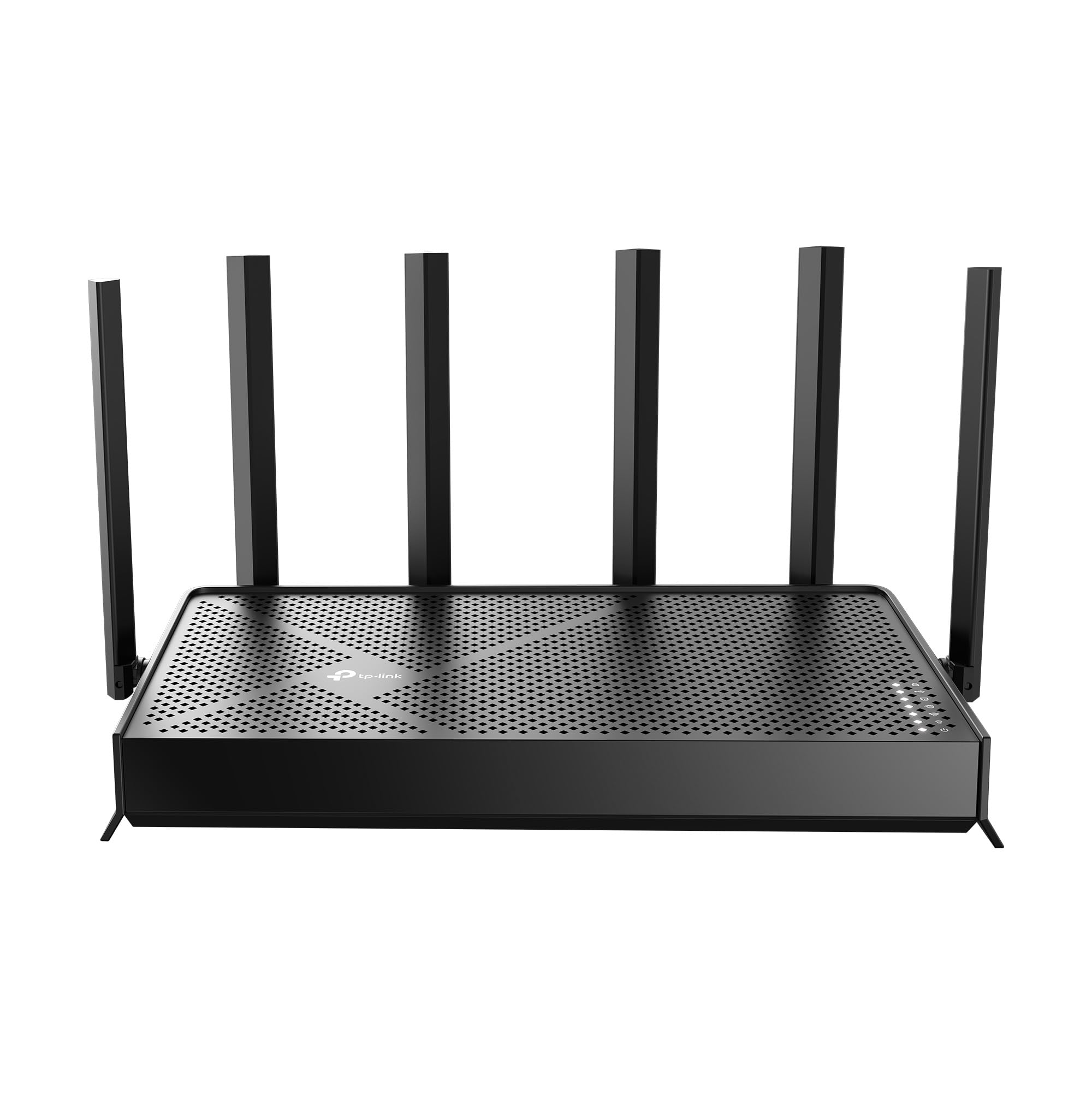
- Tri-band WiFi 7 supports 320 MHz channels.
- Includes a 10 Gbps WAN/LAN port and three 2.5 Gbps LAN ports.
- Rated for coverage up to 2,600 sq. ft. and 120 devices.
Best For: Home offices with many connected devices and multi-gig wired equipment.

TP-Link Archer AXE75

- Tri-band WiFi 6E adds a 6 GHz band.
- OFDMA is designed to support simultaneous transmission to more devices.
- Supports VPN client and server functions.
Best For: Workers with WiFi 6E devices who want tri-band connections and VPN options.
TP-Link Archer GE800
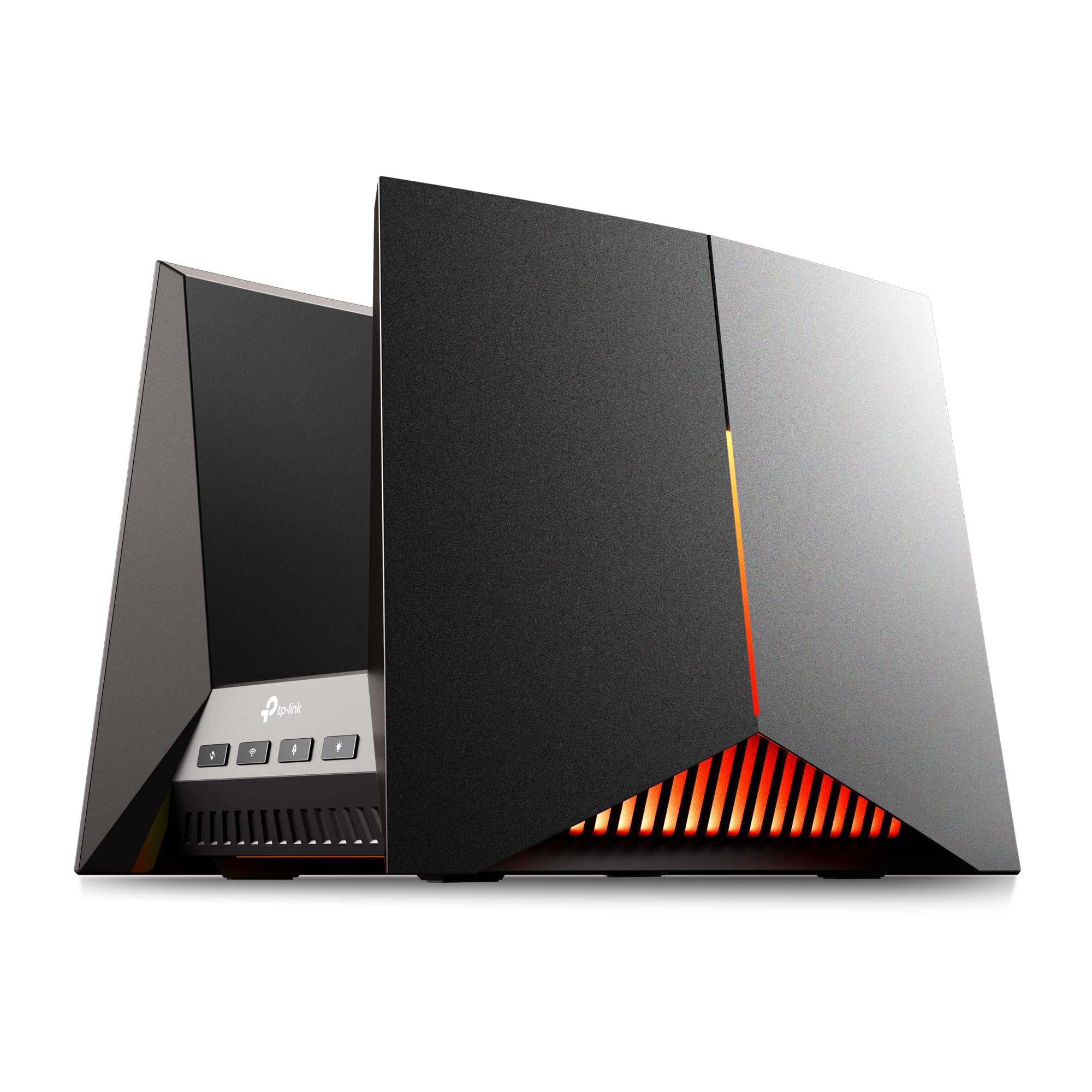
- Tri-band WiFi 7 is rated up to 19 Gbps across three bands.
- Has two 10 Gbps and four 2.5 Gbps ports.
- The game panel monitors network and router performance.
Best For: A multi-gig home office shared with gaming and other demanding wired devices.
TP-Link Archer BE400 BE6500
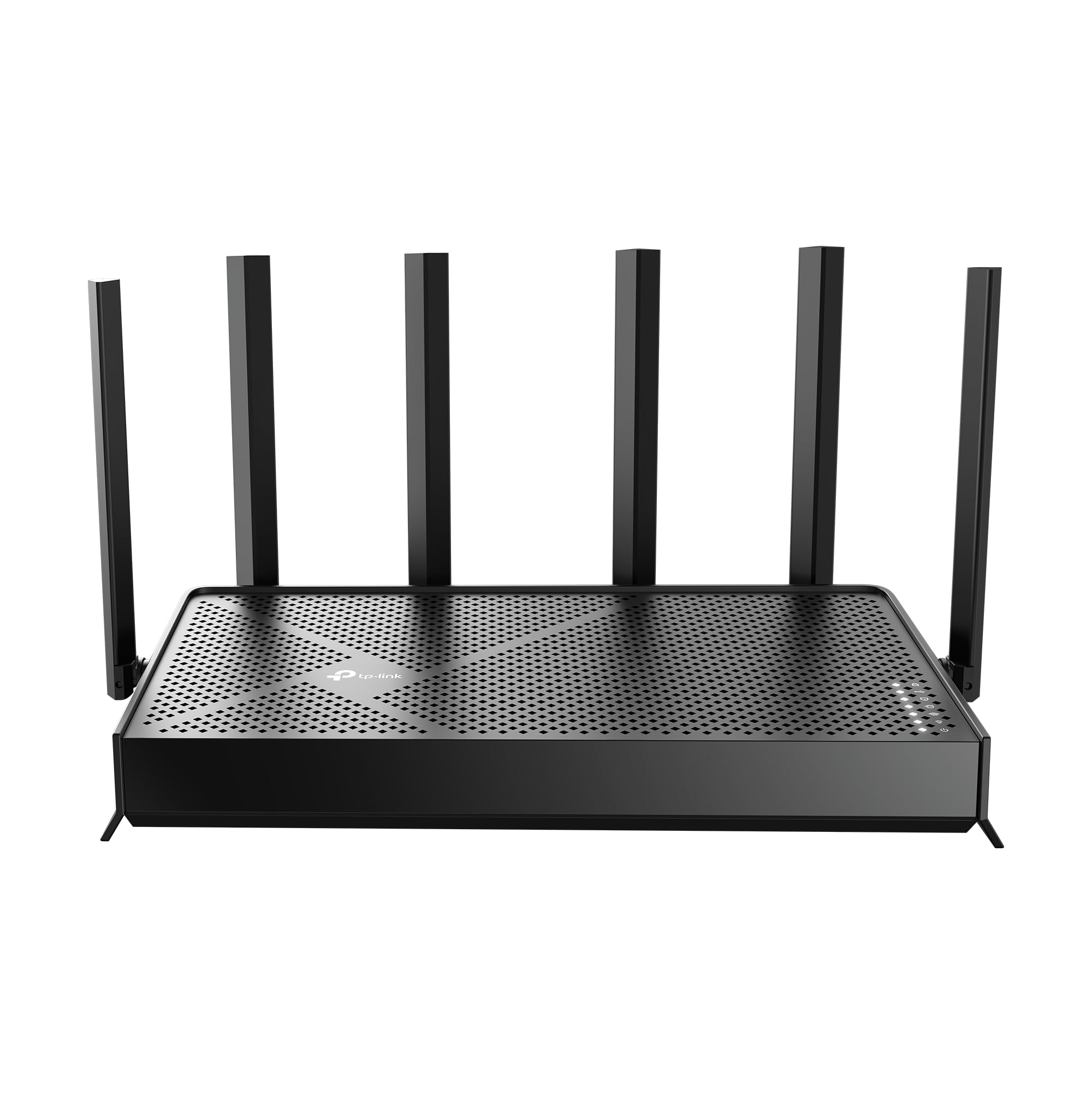
- WiFi 7 dual-band router rated at up to 6.5 Gbps total bandwidth.
- Rated for up to 2,400 sq. ft. and 90 devices.
- Includes two 2.5 Gbps ports and three 1 Gbps LAN ports.
Best For: A home office with many wireless devices and a mix of multi-gig and Gigabit Ethernet gear.
TP-Link Archer BE230 BE3600
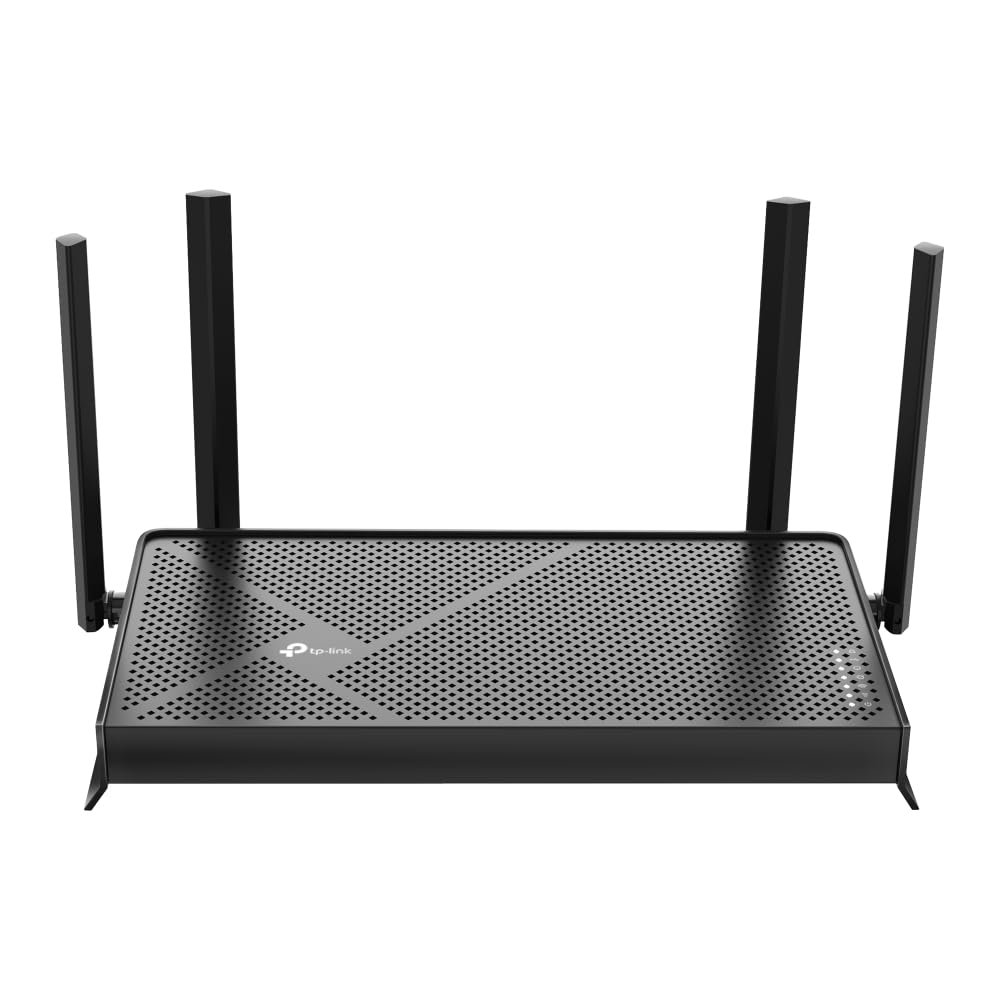
- Dual-band WiFi 7 supports speeds up to 2882 Mbps on 5 GHz and 688 Mbps on 2.4 GHz.
- Wired connections include two 2.5 Gbps ports and three 1 Gbps LAN ports.
- EasyMesh works with compatible routers and range extenders.
Best For: A small office setup seeking WiFi 7 with wired ports for several desk devices.
Tenda RX12 Pro V3.0
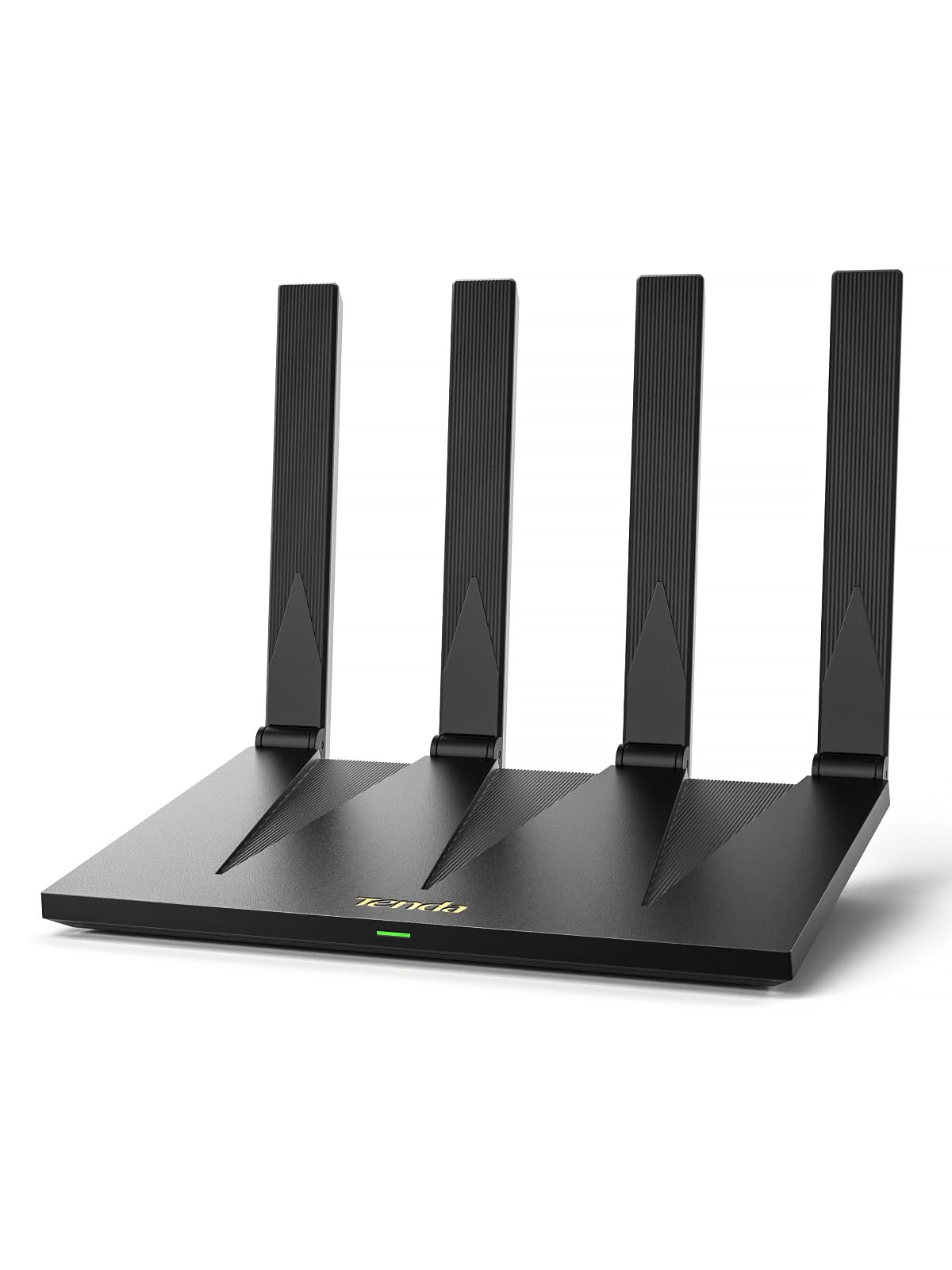
- WiFi 6 speeds are rated up to 2402 Mbps on 5 GHz and 574 Mbps on 2.4 GHz.
- Four full Gigabit ports support wired connections.
- Includes built-in VPN support and a dedicated IoT WiFi network.
Best For: A budget-conscious home office that wants Gigabit Ethernet, VPN options, and separate IoT WiFi.
TP-Link Deco 7 BE23
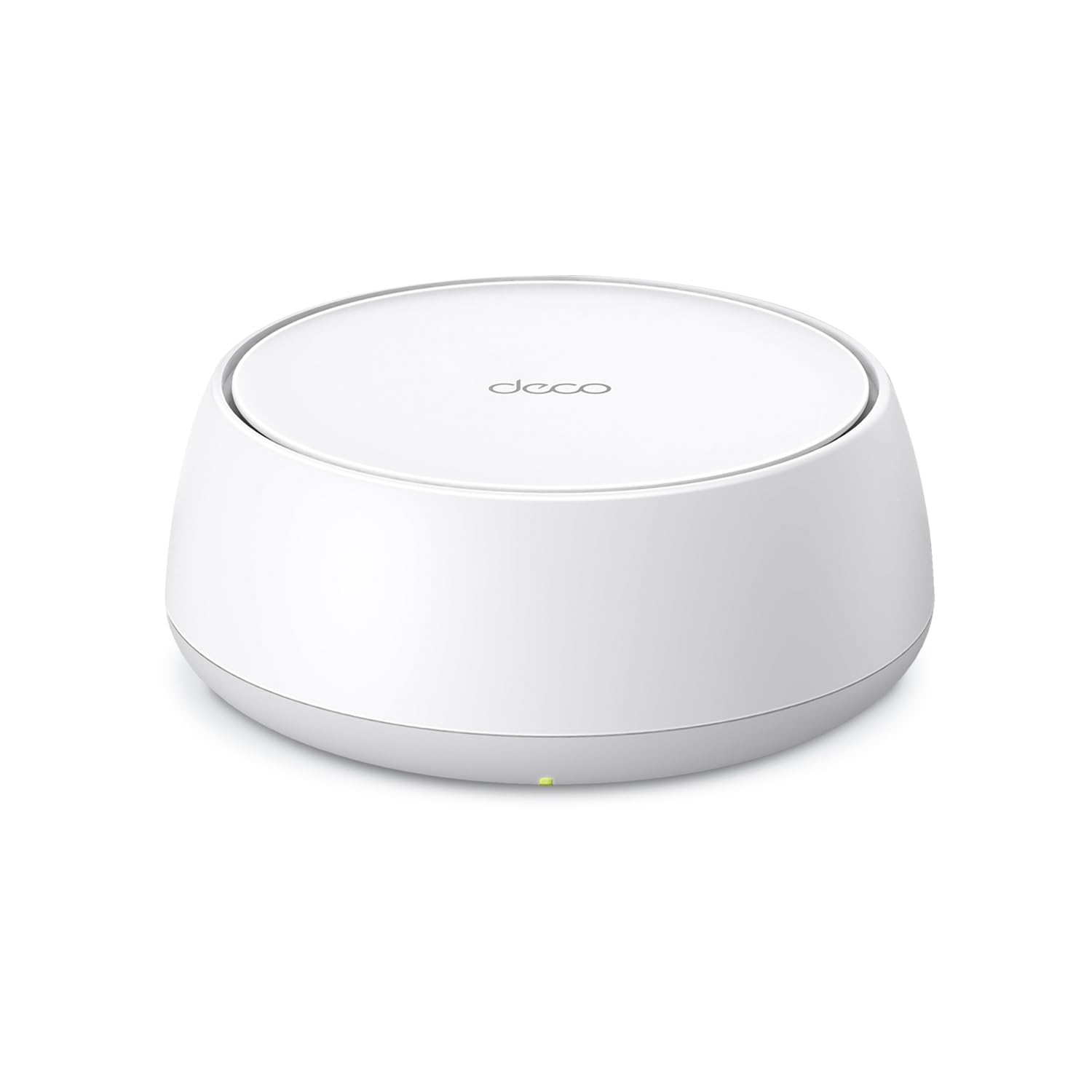
- One-pack mesh router rated for coverage up to 2,500 sq. ft.
- Includes two 2.5 Gbps WAN/LAN ports.
- Supports simultaneous wireless and wired backhaul.
Best For: Remote workers who want a mesh system with wired backhaul and a single network name.
Tenda AC6 AC1200
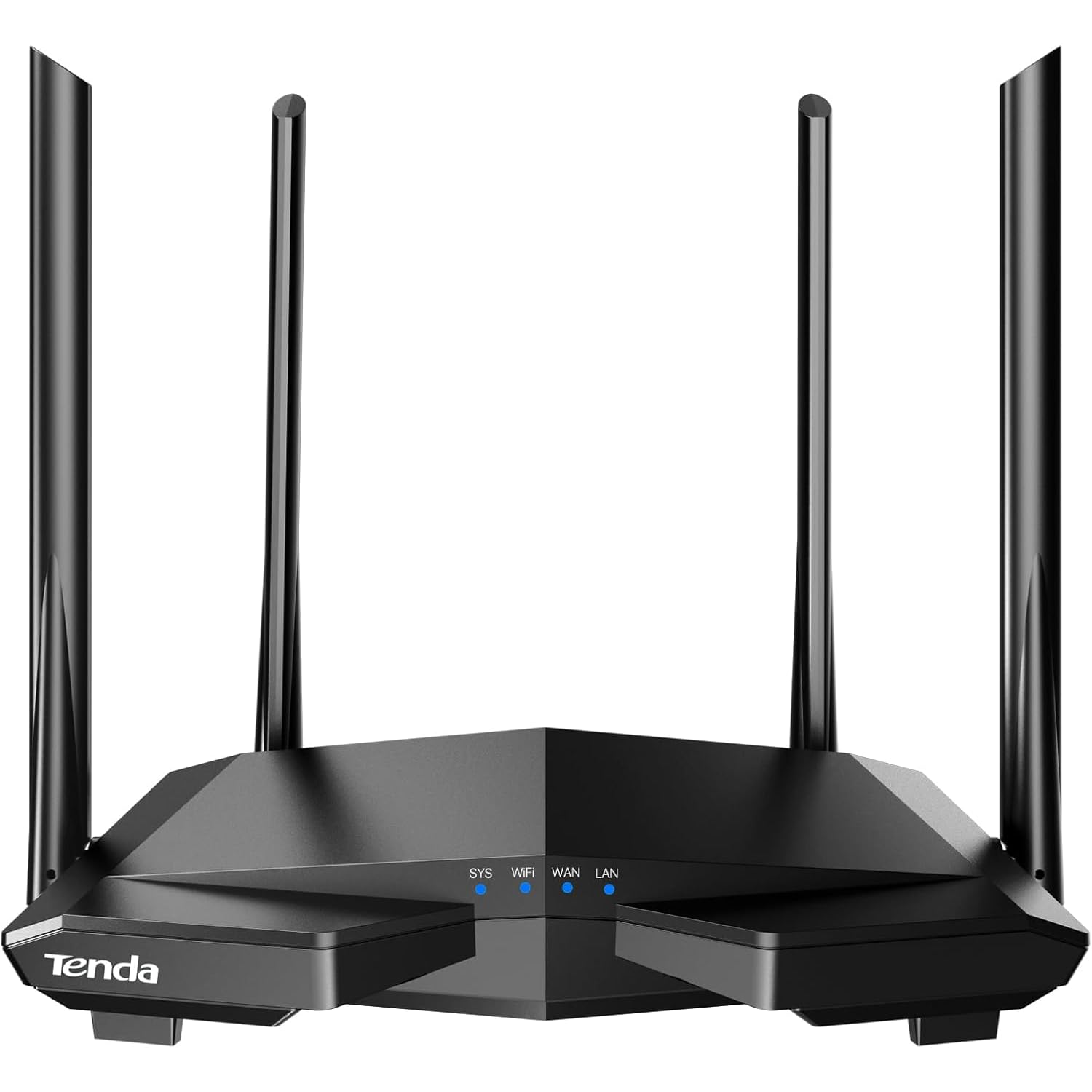
- Dual-band WiFi is rated up to 1.2 Gbps combined.
- Four 100 Mbps Ethernet ports support wired connections.
- Includes guest WiFi and access point mode.
Best For: A modest home office that needs guest WiFi, app management, and basic wired ports.
TP-Link Archer GE650
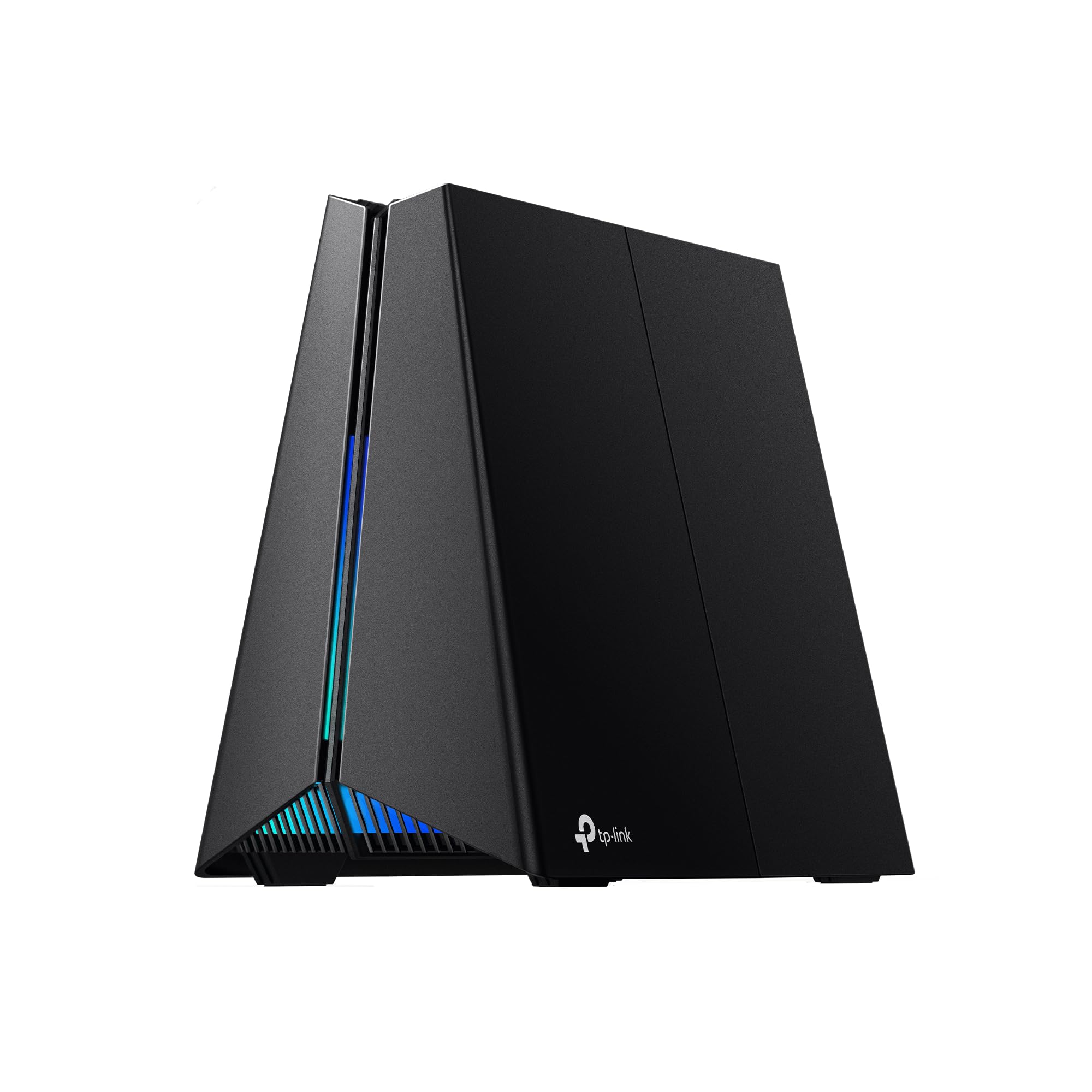
- Tri-band WiFi 7 includes a dedicated 5 GHz gaming band.
- Includes one 5 Gbps WAN, one 5 Gbps LAN, and three 2.5 Gbps LAN ports.
- A game panel shows network and router performance information.
Best For: A remote worker sharing a network with gaming devices and high-bandwidth household use.
TP-Link Roam 7 BE3600
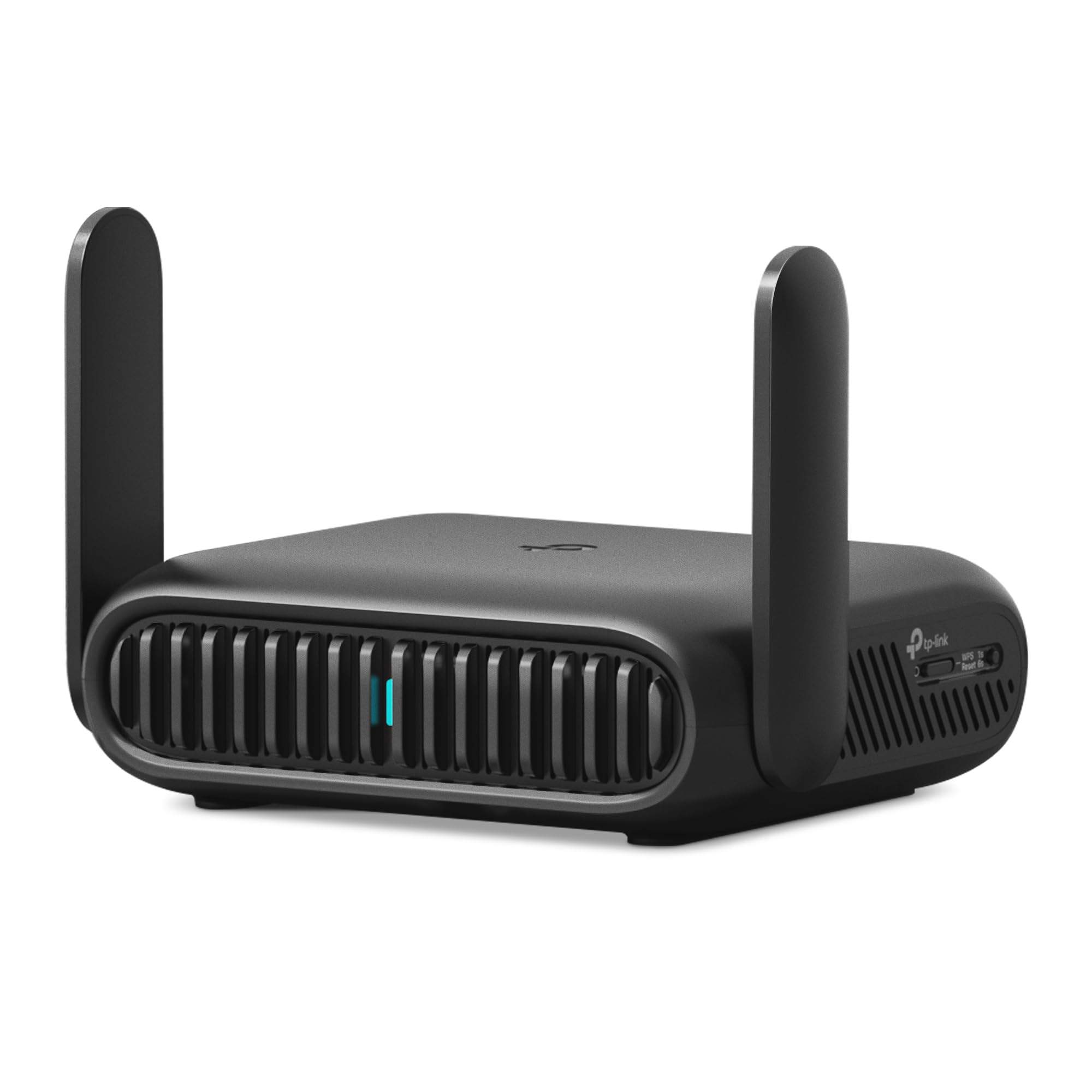
- Connects to public WiFi and creates a private network.
- Supports router, hotspot, and AP/RE/client modes.
- Supports OpenVPN and WireGuard for VPN client and server use.
Best For: Remote workers who need to create a private WiFi network from hotel or public WiFi.
Tri-Band WiFi 7 for a Busy Home
TP-Link Tri-Band BE9700 WiFi 7 Router (Archer BE600) – 10G Port, 2.5G Port, 3× 2.5G LAN, 320MHz Channel, Covers up to 2,600 sq. ft., 120 Devices, VPN, HomeShield Security
The Archer BE600 combines tri-band WiFi 7 with a 10 Gbps WAN/LAN port and three 2.5 Gbps LAN ports. That mix suits a home office where several wired devices share space with laptops, phones, and other wireless equipment.
TP-Link lists coverage up to 2,600 sq. ft. and support for up to 120 devices, though actual coverage depends on the home layout. VPN client and server support may also fit remote-work setups.
Check whether your client devices support WiFi 7 and whether your modem or internet plan can use the faster ports before paying for this tier.
Best For: Home offices with many connected devices and multi-gig wired equipment.
| Pros | Cons |
|---|---|
|
|
Choose the BE600 if a home office needs tri-band WiFi 7 alongside multi-gig wired connections and the household has enough compatible devices to use them. The coverage and device figures are maximum ratings, so room layout and walls still matter.
Its extra wireless band and 10 Gbps port set it apart from dual-band alternatives, but a basic internet plan or older client devices may leave much of that capacity unused. Check port roles and modem compatibility before buying.
WiFi 6E with a Dedicated 6 GHz Band
TP-Link AXE5400 Tri-Band WiFi 6E Router (Archer AXE75), 2025 PCMag Editors' Choice, 2.5Gbps WAN Port for Gaming & Streaming, 6GHz Band, 160MHz, OneMesh, Dual-Core CPU, VPN & WPA3 Security
The Archer AXE75 is a tri-band WiFi 6E router with a 6 GHz band, OFDMA, and support for OneMesh with a compatible TP-Link extender. Those features make it a practical fit for a home office that shares the network with streaming and other connected devices.
Its listed combined WiFi speed is up to 5400 Mbps, split across 6 GHz, 5 GHz, and 2.4 GHz bands; this is a combined rating rather than a single-device speed guarantee. VPN client and server support adds flexibility.
Check that work devices support 6 GHz and plan for a separate modem if your provider requires one.
Best For: Workers with WiFi 6E devices who want tri-band connections and VPN options.
| Pros | Cons |
|---|---|
|
|
The AXE75 fits a household that wants WiFi 6E and tri-band capacity without moving to WiFi 7. The added 6 GHz band is useful only for compatible devices, while OneMesh depends on pairing a TP-Link extender that supports it.
Confirm whether your work laptop or desktop can connect on 6 GHz, and check the modem and wired-port setup you need. Its VPN options and basic HomeShield features may suit a mixed work-and-home network.
High-Capacity WiFi 7 for Wired Workstations
TP-Link Tri-Band BE19000 Wi-Fi 7 Gaming Router Archer GE800 | 12-Stream | 2×10G + 4×2.5G Ports, USB 3.0 | Turbo Acceleration, Dedicated Gaming Port & Panel, RGB Lighting, HomeShield, Free Expert Help
The Archer GE800 is a tri-band WiFi 7 gaming router with a large selection of fast wired ports: two 10 Gbps and four 2.5 Gbps connections. Its gaming focus may also suit a home office where video calls, downloads, and gaming compete for network capacity.
The product has a real-time performance panel, game acceleration features, and EasyMesh compatibility. Its listed wireless capacity reaches 19 Gbps across three bands, a combined rating rather than a measure of one device's speed.
This is a substantial router; check your modem, client devices, desk wiring, and whether the gaming tools justify its specialized focus.
Best For: A multi-gig home office shared with gaming and other demanding wired devices.
| Pros | Cons |
|---|---|
|
|
Pick the GE800 when a home office shares a network with a demanding gaming setup and multiple devices can use its multi-gig wired ports. Its gaming dashboard and acceleration features add a layer of control, while EasyMesh offers an expansion path.
A work-only setup with ordinary internet service may not benefit from the extra port capacity or gaming focus. Confirm which ports serve WAN and LAN roles and whether your modem and wired devices support these speeds.
WiFi 7 with Room for 90 Devices
TP-Link BE6500 Dual-Band WiFi 7 Router (BE400) – Dual 2.5Gbps Ports, USB 3.0, Covers up to 2,400 sq. ft., 90 Devices, Quad-Core CPU, HomeShield, Private IoT, Free Expert Support
The Archer BE400 pairs dual-band WiFi 7 with a stated coverage area of up to 2,400 sq. ft. and capacity for up to 90 devices. For a home office that also serves phones, smart devices, and household computers, those figures make it worth comparing against lower-capacity routers.
It has one 2.5 Gbps WAN/LAN port, one 2.5 Gbps LAN port, and three 1 Gbps LAN ports, plus EasyMesh support. Its dual-band design does not add a 6 GHz band, so compare that tradeoff with tri-band models if your clients can use 6 GHz.
Best For: A home office with many wireless devices and a mix of multi-gig and Gigabit Ethernet gear.
| Pros | Cons |
|---|---|
|
|
The BE400 suits a home office that needs WiFi 7 and several wired connections but does not require a third band. Its port mix includes both 2.5 Gbps and 1 Gbps options, while EasyMesh provides a compatible expansion route.
The dual-band layout may suit devices that do not need an additional band. Check the actual floor plan, modem connection, and number of wired devices before relying on maximum coverage or device figures.
WiFi 7 and Multi-Gig Ports in a Compact Router
TP-Link Dual-Band BE3600 Wi-Fi 7 Router Archer BE230 | 4-Stream | 2×2.5G + 3×1G Ports, USB 3.0, 2.0 GHz Quad Core, 4 Antennas | VPN, EasyMesh, HomeShield, MLO, Private IOT | Free Expert Support
The Archer BE230 brings dual-band WiFi 7 to a home office with one 2.5 Gbps WAN/LAN port, one 2.5 Gbps LAN port, three 1 Gbps LAN ports, and USB 3.0. It is rated for coverage up to 2,000 sq. ft. and up to 60 devices, useful context for a household with a moderate number of connections.
EasyMesh support offers an option to extend coverage with compatible gear. This router does not support 6 GHz, so compare its dual-band arrangement with tri-band choices if your work devices support that band.
A separate modem is required.
Best For: A small office setup seeking WiFi 7 with wired ports for several desk devices.
| Pros | Cons |
|---|---|
|
|
Choose the BE230 if you want WiFi 7 and several wired ports for a desk setup but do not need a 6 GHz band. Its combination of 2.5 Gbps and Gigabit ports gives flexibility for a workstation, storage device, and other wired equipment.
The stated coverage and device limits are maximums, not guarantees for every floor plan. Compare its stated coverage and device capacity with your needs, and confirm modem requirements.
WiFi 6 with VPN and an IoT Network
Tenda AX3000 WiFi 6 Router,Dual-Band Gigabit Wireless Internet Router, Mesh & AP Mode, Built-in VPN, NFC Tap-to-Connect, OFDMA MU-MIMO, Secure IoT Network for Home Gaming & 4K Streaming(RX12 Pro V3.0)
The Tenda RX12 Pro V3.0 is a dual-band WiFi 6 router with four full Gigabit ports, built-in VPN support, and a dedicated IoT WiFi network. Those features make it a practical fit for a home office that wants wired computer connections and a separate network for smart devices without moving to WiFi 7.
It also supports mesh and access point modes, NFC tap-to-connect for compatible Android phones, and app or browser setup. The notes describe support for over 100 devices, but no coverage area is given.
Check your home's size and ISP equipment needs; this router does not include a modem.
Best For: A budget-conscious home office that wants Gigabit Ethernet, VPN options, and separate IoT WiFi.
| Pros | Cons |
|---|---|
|
|
The RX12 Pro suits an office that values Gigabit wired ports, VPN options, and a separate IoT network more than the newest WiFi generation. Its four ports simplify direct connections for a computer and other desk equipment.
The coverage area is not specified, so it is harder to match to larger or multi-floor homes using the supplied facts alone. Confirm the ISP modem or gateway setup, and check that your VPN protocol and firmware support align with your needs.
Mesh-Ready WiFi 7 for Broader Home Coverage
TP-Link Deco 7 BE23 Dual-Band BE3600 WiFi 7 Mesh Wi-Fi Router | 4-Stream 3.6 Gbps,160 Mhz | Covers up to 2,500 Sq.Ft | 2× 2.5G Ports Wired Backhaul | VPN, MLO, HomeShield, Free Expert Help, 1-Pack
The Deco 7 BE23 is a one-pack dual-band WiFi 7 mesh router rated for coverage up to 2,500 sq. ft. and support for up to 150 devices. Its two 2.5 Gbps WAN/LAN ports support wired connections, and the system supports both wireless and wired backhaul.
A unified network name and AI roaming are intended to keep devices connected as they move through the home. Because this offer is a single unit, consider whether one node fits your layout or whether you will want compatible Deco units to extend it.
Its dual-band design does not include a third band.
Best For: Remote workers who want a mesh system with wired backhaul and a single network name.
| Pros | Cons |
|---|---|
|
|
Consider the Deco 7 if a single-network mesh setup and the option for wired backhaul matter to your home office. It offers two 2.5 Gbps ports and a stated 2,500 sq. ft. maximum for this one-pack configuration.
The single unit may not suit a home with difficult coverage gaps unless you add compatible Deco units. Its dual-band design differs from tri-band options.
Check placement, expansion needs, and the separate modem requirement for your provider.
Simple Dual-Band WiFi for a Basic Office
Tenda AC1200 Smart WiFi Router, High Speed Dual Band Wireless Internet Router with Smart APP, 4 x 100 Mbps Fast Ethernet Ports, Supports Guest WiFi, Access Point Mode, IPv6 and Parental Controls(AC6)
The Tenda AC6 is an AC1200 dual-band router with four 100 Mbps Ethernet ports, guest WiFi, access point mode, and app-based setup and management. Its listed combined WiFi rate reaches up to 1.2 Gbps across 5 GHz and 2.4 GHz bands, with MU-MIMO support on 5 GHz.
This is a basic option for a small office with ordinary broadband needs, but the Ethernet ports are limited to 100 Mbps, which can constrain wired desk devices. It does not include a modem.
Check your internet plan and whether your computer or other equipment will connect over Ethernet before choosing it.
Best For: A modest home office that needs guest WiFi, app management, and basic wired ports.
| Pros | Cons |
|---|---|
|
|
The AC6 is a fit for a modest office where wireless access and basic network controls matter more than fast wired connections. Guest WiFi and access point mode give it some flexibility, but its four Ethernet ports top out at 100 Mbps, which is the main tradeoff for a desk setup with wired equipment.
Compare your broadband speed and wired needs before buying. A faster WiFi label alone will not make those Ethernet ports faster, and a separate modem is still needed.
Gaming Router with a Dedicated 5 GHz Band
TP-Link Tri-Band BE11000 Wi-Fi 7 Gaming Router Archer GE650 | 6-Stream 11 Gbps supports 320MHz | 2×5G + 3×2.5G Ports USB 3.0 | Game Acceleration, Dedicated Gaming Port & Panel, RGB Lighting|HomeShield
The Archer GE650 combines tri-band WiFi 7 with a dedicated 5 GHz gaming band, a game panel, and multi-gig wired ports. This makes it relevant where remote work shares bandwidth with online gaming and streaming in the same household.
The router has one 5 Gbps WAN port, one 5 Gbps LAN port, and three 2.5 Gbps LAN ports. Its WiFi speed figures are split among 6 GHz, 5 GHz, and 2.4 GHz bands, and depend on compatible devices and conditions.
Consider its gaming-centered tools against a general-purpose router if work calls and ordinary browsing are the priority.
Best For: A remote worker sharing a network with gaming devices and high-bandwidth household use.
| Pros | Cons |
|---|---|
|
|
Choose the GE650 if gaming devices are a substantial part of a shared home network and you want a dedicated gaming band plus a performance panel. The multi-gig port mix can also accommodate compatible wired equipment.
For a work-focused household without gaming demands, a general WiFi 7 router may be a better match for the same kind of home connectivity. Check whether client devices can use WiFi 7 and whether your ISP plan and modem support the faster wired ports.
Portable VPN Router for a Traveling Home Office
TP-Link Roam 7 BE3600 Wi-Fi 7 Portable Travel Router | Dual-Band, 2.5G Port, USB 3.0 | Multi-Modes in One | OpenVPN, WireGuard® | Public WiFi Sharing for Hotel/Cruise/RV/Plane | No 6 GHz | TL-WR3602BE
The Roam 7 BE3600 is a portable travel router designed to connect to public WiFi and create a private network for work devices. It supports router, hotspot, access point, repeater, and client modes, plus OpenVPN and WireGuard client and server functions.
Its USB-C power options include the supplied adapter or a 5V PD source such as a power bank. That makes it a distinct choice for employees who work from hotels, RVs, or other temporary spaces.
It is a travel device rather than a full home router, and the model does not support 6 GHz. Check what connection and power options are available at your destination.
Best For: Remote workers who need to create a private WiFi network from hotel or public WiFi.
| Pros | Cons |
|---|---|
|
|
The Roam 7 belongs on this list for workers who move between home and temporary workspaces and want to share public WiFi through a private network. Multiple connection modes, VPN support, and USB-C power offer flexibility while traveling.
For a stationary home office, a conventional router may provide a more suitable fit for whole-home coverage and a fixed network layout. Check public WiFi login requirements and access to USB-C power before relying on it during a trip.
How to Choose Wifi Routers For Home Office
How We Picked WiFi Routers for Home Office
We focused on routers with documented features that map to common home office needs: wireless capacity for video calls and multiple devices, Ethernet ports for wired desks, options for mesh expansion, and VPN support. The selection includes basic WiFi 6 and AC1200 models alongside WiFi 6E and WiFi 7 choices, so buyers can compare everyday connectivity with newer wireless features.
The list also reflects different working arrangements. A stationary office may prioritize several wired ports or whole-home coverage, while a worker who shares bandwidth with gaming or streaming may prefer a gaming router's dedicated band and controls.
The Roam 7 earns a place for remote workers who need private WiFi while traveling, though it is not a standard full-size home router. We excluded the Roam 6 as another travel-focused model.
Comparing Home Office WiFi Routers
Start with the network your work devices can actually use. The Tenda AC6 is an older AC1200 dual-band option with 100 Mbps Ethernet ports.
The RX12 Pro adds WiFi 6, four Gigabit ports, VPN support, and a separate IoT network. WiFi 6E options such as the Archer AXE75 add 6 GHz for compatible clients, while the WiFi 7 models range from dual-band BE230 and BE400 designs to tri-band choices such as the BE600 and GE800.
Wired port speed can matter as much as the wireless generation in a home office. The BE230, BE400, and BE600 include 2.5 Gbps ports; the gaming models go further with 5 Gbps or 10 Gbps connections.
Those ports are useful only when the modem, internet service, and connected devices can take advantage of them. For a desk computer that stays in one place, a wired connection can simplify the setup, while laptops and phones depend on WiFi coverage and placement.
| Product | Standout features | Best for |
|---|---|---|
| TP-Link Archer BE600 BE9700Check Price |
| Home offices with many connected devices and multi-gig wired equipment. |
| TP-Link Archer AXE75Check Price |
| Workers with WiFi 6E devices who want tri-band connections and VPN options. |
| TP-Link Archer GE800Check Price |
| A multi-gig home office shared with gaming and other demanding wired devices. |
| TP-Link Archer BE400 BE6500Check Price |
| A home office with many wireless devices and a mix of multi-gig and Gigabit Ethernet gear. |
| TP-Link Archer BE230 BE3600Check Price |
| A small office setup seeking WiFi 7 with wired ports for several desk devices. |
| Tenda RX12 Pro V3.0Check Price |
| A budget-conscious home office that wants Gigabit Ethernet, VPN options, and separate IoT WiFi. |
| TP-Link Deco 7 BE23Check Price |
| Remote workers who want a mesh system with wired backhaul and a single network name. |
| Tenda AC6 AC1200Check Price |
| A modest home office that needs guest WiFi, app management, and basic wired ports. |
| TP-Link Archer GE650Check Price |
| A remote worker sharing a network with gaming devices and high-bandwidth household use. |
| TP-Link Roam 7 BE3600Check Price |
| Remote workers who need to create a private WiFi network from hotel or public WiFi. |
Choosing Coverage, Mesh, and Work Security
Coverage ratings are maximums and cannot describe every layout. The BE400 is rated for up to 2,400 sq. ft., the BE230 for up to 2,000 sq. ft., and the Deco 7 one-pack for up to 2,500 sq. ft. These figures help frame a comparison, but walls, floor levels, and router placement affect the signal in a real home.
EasyMesh compatibility on several Archer and Tenda options offers an expansion route; Deco instead connects with compatible Deco mesh units.
If the router will serve a home office and smart devices, compare the network-management features that address that mix. The RX12 Pro offers a dedicated IoT network and VPN protocols including OpenVPN and WireGuard.
TP-Link models in this roundup include HomeShield features, and several list VPN client or server support. Check which controls are available on the model you choose, whether any function needs a separate service, and whether your work equipment needs VPN software of its own.
Who Should Buy Which Home Office Router?
For a basic office with modest broadband needs, the Tenda AC6 covers guest WiFi and app controls, while the RX12 Pro provides Gigabit ports and WiFi 6. Choose the Archer BE230 or BE400 if you want WiFi 7 and multi-gig ports without a 6 GHz band.
The Archer AXE75 is the WiFi 6E pick for compatible 6 GHz devices, while the BE600 adds tri-band WiFi 7 and a larger multi-gig port selection.
For a broader mesh plan, consider the Deco 7 one-pack if you expect to add compatible nodes or use wired backhaul. The GE650 and GE800 suit homes where gaming shares the network with work; compare their gaming tools and faster ports with the simpler needs of a video-call workstation.
If work takes you between hotels and other public networks, the Roam 7 can create a private network on the go. In every case, confirm modem requirements, device compatibility, port roles, and whether the router's coverage approach matches your home layout.